So there I was, sitting in a crowded terminal at O’Hare last Thursday, aggressively tapping my index finger against my thigh. I wasn’t anxious — well, that’s not entirely accurate. I was trying to trick the gesture controls on Samsung’s new smart ring to dismiss a phone call. It didn’t work. The guy next to me definitely thought I had a nervous tic.
We’ve been hearing about the collision of fashion and AI in wearables since the January 2026 Unpacked event. The marketing pitch is always identical: invisible tech that looks like high-end jewelry but secretly runs massive neural networks to tell you why you’re tired. And I’ve spent the last four weeks wearing the new Galaxy Watch and Ring combo to see if any of this actually matters outside of a slick presentation slide.
The Hardware Actually Looks Like Jewelry
Smartwatches have historically looked like tiny smartphones strapped to your arm with rubber bands. You couldn’t wear them with a suit without looking like a spy kid. But Samsung finally fixed this — probably to the relief of many.
The new watch chassis is surprisingly thin. They shaved off about 1.5mm from last year’s model. Doesn’t sound like much on paper, but it makes a massive difference under a dress shirt cuff. It actually slides under the fabric instead of catching on the hem.
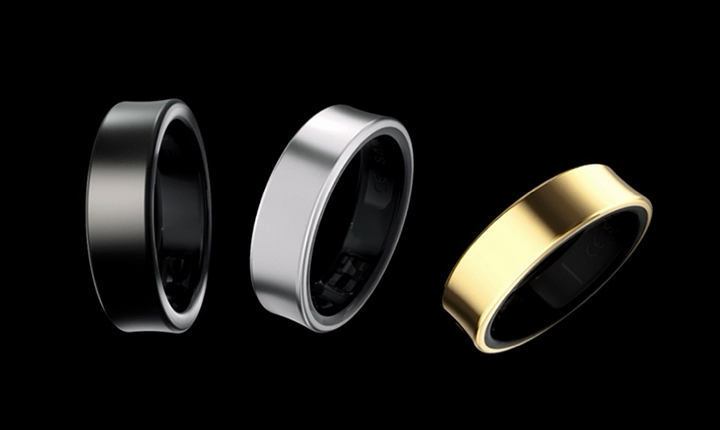
The ring is just a ring. Titanium, slightly concave, totally unassuming. But here is a massive warning: it gets scratched if you lift weights. Take it off before deadlifts. I learned that the hard way on day three, completely ruining the finish on the palm side of the band. Stick to wearing it for cardio or just normal daily life.
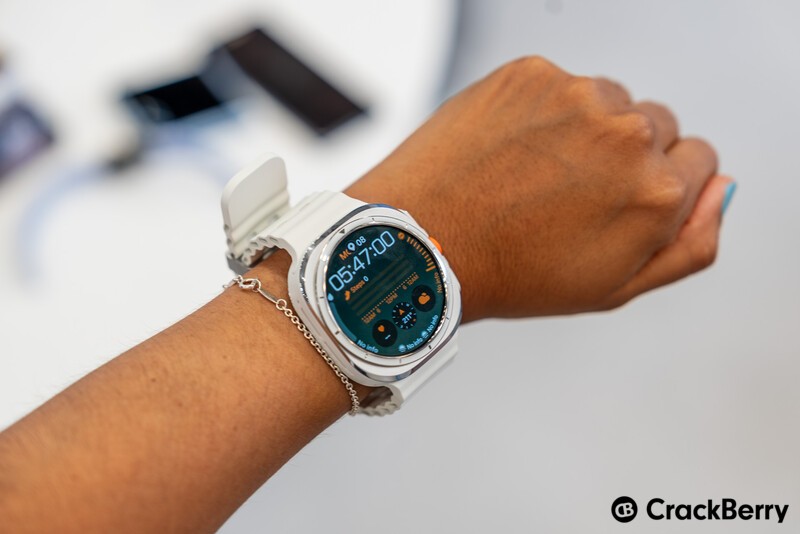
There’s also a heavily advertised generative AI feature where you snap a picture of your outfit, and the phone generates a matching watch face pattern. I tried it with a horrific 90s neon windbreaker I found at a thrift store. The system generated a watch face so aggressively loud it actually made my eyes hurt. So, the color matching works. I just have terrible taste.
The Local Processing Gotcha
Let’s talk about the AI integration, because everyone slaps “AI” on their boxes now to sell hardware. But Samsung’s Health AI v3.2 (specifically running on the R890XXU1BXC4 firmware update from mid-February) does something genuinely different with the data crossover between the watch and the ring.
I tested this against my old Oura Gen 3. The Oura would take about 45 seconds to process my sleep stages every morning, syncing to the cloud and back. But the new Samsung setup? It dumps the raw sensor data from both devices to the phone, runs the local LLM on my phone’s NPU, and spits out the “Energy Score” in exactly 4.2 seconds. I timed it. Repeatedly.
It’s fast because it’s bypassing the cloud entirely for the daily summaries. This is a big deal for privacy, sure, but mostly I just care that I don’t have to stare at a loading spinner while making my morning coffee.
By Q1 2027, I expect they’ll push the actual sleep staging model entirely to the ring’s MCU so you don’t even need the phone nearby, but for now, the local phone processing is a massive step up from cloud-dependent wearables.
Battery Life and the “Smart Handoff”
Battery life is usually where these tiny wearables fall apart. You can’t fit a big battery in a ring size 9.
But if you wear both the watch and the ring simultaneously, the system gets weirdly smart. It turns off the watch’s heart rate sensor and relies entirely on the ring when you’re sitting still or sleeping. The watch only kicks its own sensors back on during active workouts when wrist tracking is more accurate.
This “sensor handoff” saves a ridiculous amount of juice. My watch went from dying at 8 PM to easily surviving a full 36 hours. The ring pushes about five days before it needs the charging case.
The Annoying Parts
It’s not all great, though. The AI coaching is aggressively annoying out of the box. I don’t need a wrist vibration at 9 PM telling me my “readiness is dipping” because I walked up a flight of stairs to get a snack. I know I’m tired. I was there.
And you can disable the proactive alerts, but the menus to find that toggle are buried five layers deep in the Health app settings. I spent twenty minutes hunting for it. You have to go to Health > Devices > Ring > Advanced Intelligence > Proactive Prompts. Just awful UX design.
Also, the ring sizes run slightly smaller than standard jewelers’ sizing. If you’re a 10 normally, you probably need an 11 here because of the sensor bumps on the inside of the band. Order the cheap plastic sizing kit first. Don’t guess.
But if you’re already in the Android ecosystem and want a wearable setup that doesn’t look like a computer from 2015, the combo is probably worth the asking price. Just get the silver ring — the matte black chips immediately.